|
|

ThermReview
Software
From the leading industry publication on photonics technologies and solutions for technical professionals, worldwide. 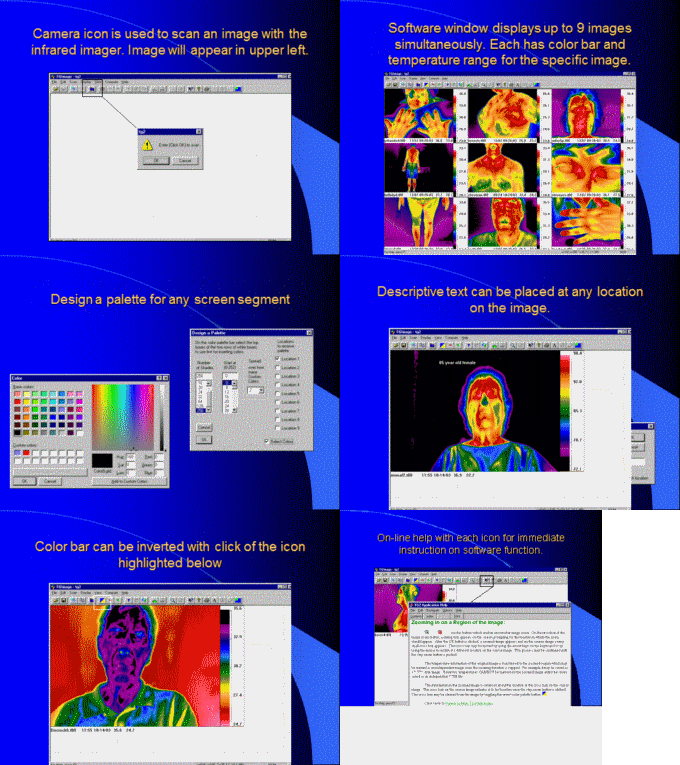 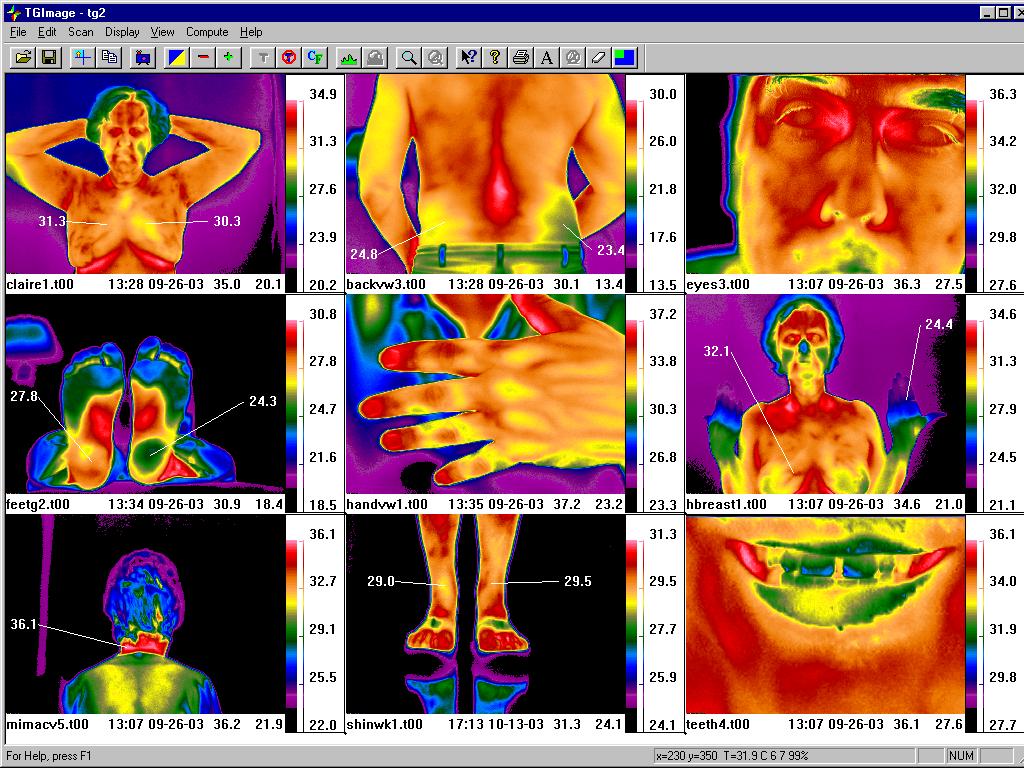 |
NEW SOFTWARE RELEASE See VIDEO FEATURES 9 images can be displayed in a single window, simultaneously. Place temperature markers with pointers at any user selected angles and distance. Place temperatures at any pixel location on the images. Move to any image and automatically show appropriate temperatures for that image. Icons at top of screen provide for easy function control. Temperature values appear beside the color bar, and show increments of temperature. Name of image, date, time and temperature range stamp at bottom of each image. X/Y coordinate values designated. Module for download of image temperature values to Excel format. |
||
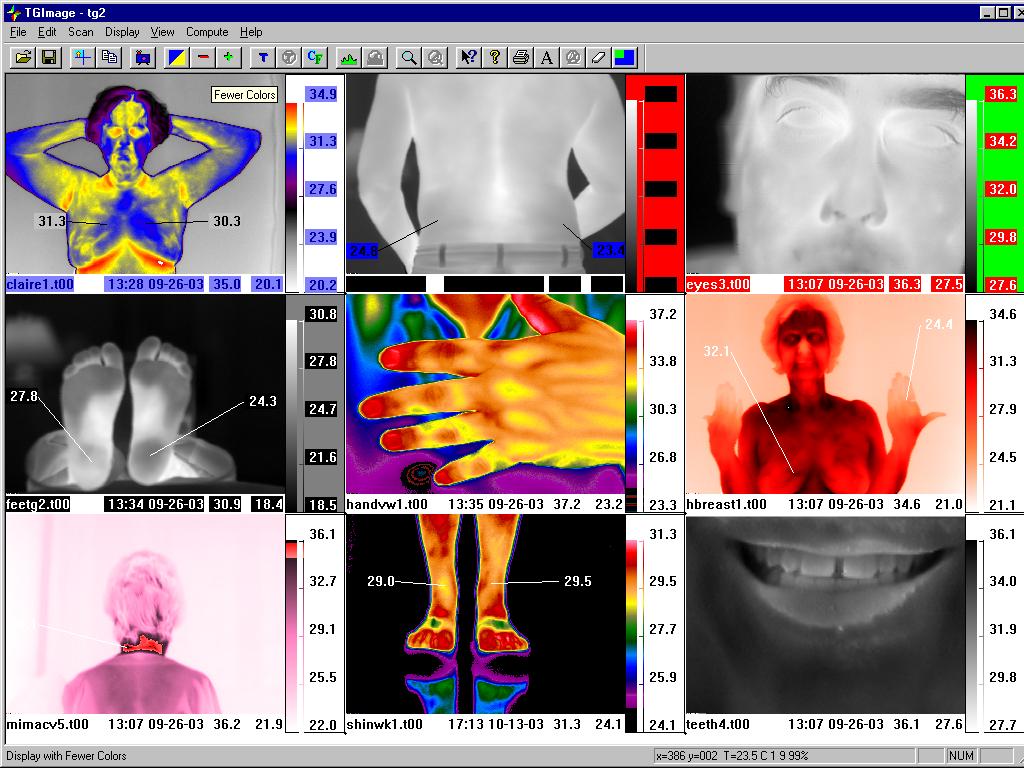 |
POWERFUL COLOR PALETTE OPTIONS Different color palette formats can be used on the same image or within the same window. The palette design tool allows for any palette to be created with any combination of colors. Note the use of black to white, or reverse, as demonstrated on the mouth image at the bottom right. Isotherms can be designated to highlight all areas at a certain temperature value or range within the image. Instant temperature read at top left corner of any image selected for any pixel location within the image. |
||
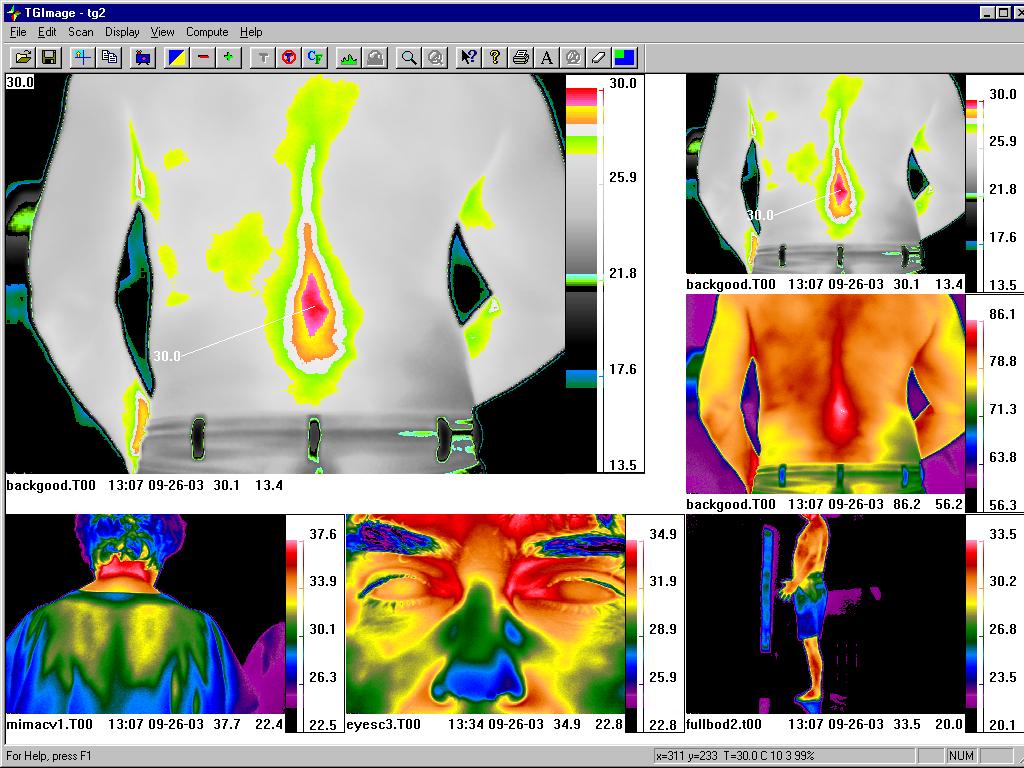 |
MULTIPLE ISOTHERMS View of subject's back image demonstrating multiple isotherm areas, or highlighted similar temperature zones, overlaying shades of grey. Upper left hand corner of larger image shows temperature value for cursor location on specific pixel within the image. This automatically changes as the pointer is moved across the image. |
||
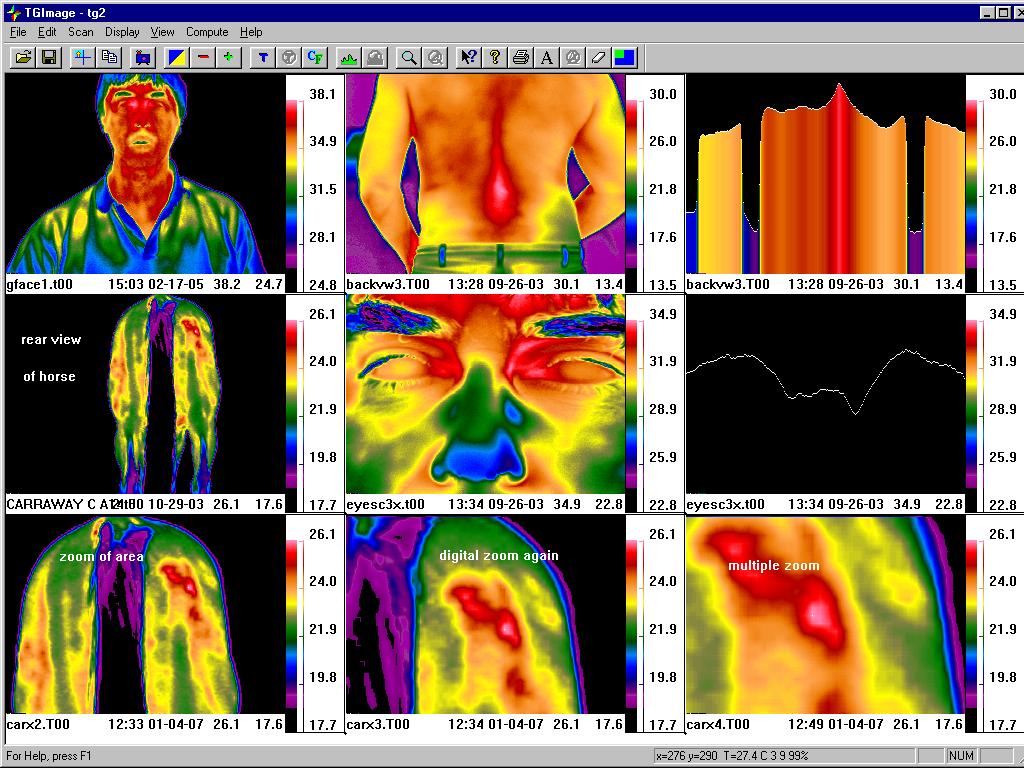 |
GRAPHS Note use of graphing function for both bar and line graphs. These can be positioned for any vertical or horizontal location on a selected image. Image on left at the middle position is a rear view of a horse with a muscle problem. The bottom three images are of the original image, but with use of the digital zoom function on the software, multiple enlargements of the area of interest can be obtained at a later date. |
||
' 
|
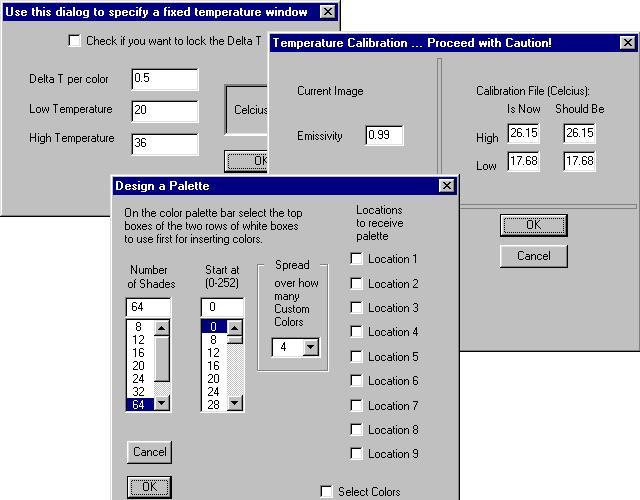
POST-PROCESSING Function for re-processing any saved image with fixed temperature values and a set Delta T (temperature differential) per color. Ability to control master temperature calibration in the field for taking of images. Design options for multiple palettes and isotherms for any image location on the screen. |
| LEARN
MORE. Receive
updated material on infrared thermal
imaging. Please complete the form below: Email
address: teletherm@thermology.com |
(C) Copyright 1999-2019 Teletherm Infrared Systems / Research, Asheville, NC - Tampa, FL. USA Telephone: 813/418-6165 or email: teletherm@thermology.com All rights are reserved worldwide.
(C)
Copyright 2005-2019 Teletherm color palette
designation EYESC3, EYECLOSE1, Teletherm
Infrared Systems / Research - Asheville, NC
- Tampa, FL. USA. All rights are
reserved worldwide.
Last
Update August 6, 2019